
Use Profile to choose Login for an existing account or Register for a new one. Keep your account identifier and recovery details available before you start; the verification steps depend on the current form.
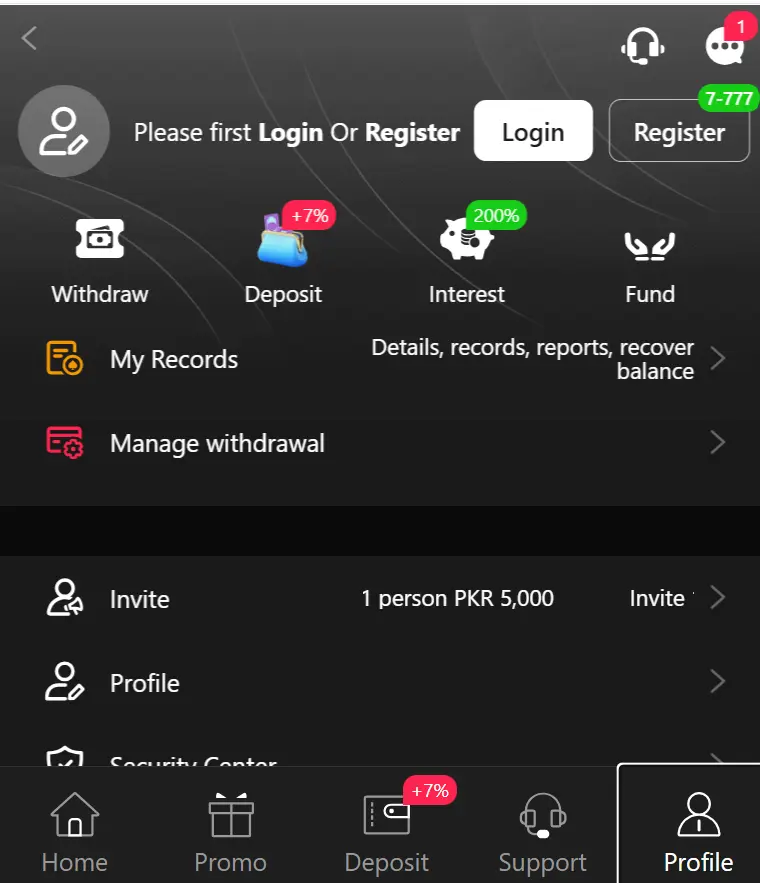
Create an account
- Confirm you are using the intended service and meet its eligibility rules and applicable local requirements.
- Open Register from the header or Profile area.
- Read the terms before entering the requested information.
- Choose a unique password and keep recovery access under your own control.
- Complete only the verification the genuine service requests. Never disclose a verification code to a person claiming to help.
Access an existing account
- Choose Login, not Register, if you already have an account.
- Check spelling and accidental spaces in the identifier you enter.
- Use your own device where possible and log out on shared devices.
- If sign-in fails, read the specific error before trying again.
Forgotten password or unavailable account
If the form provides password recovery, follow that route using your registered details. If no recovery control appears, use the operator’s support options; do not create multiple accounts to bypass a restriction.
Before sending an error screenshot, hide passwords, verification codes, wallet details and identity numbers. Include the approximate time, device type and wording of the error instead.
Where account records fit
My Records and Manage withdrawal are useful labels to look for after sign-in. For a transaction problem, compare the record with the payment checklist rather than treating login success as proof that funds are available.